Record lessons your students actually watch.
Teaching on camera is hard when you are reading off a second screen or trying to memorize a lecture. Teleprompter Pro puts your notes right over the lens and scrolls them as you speak — so you keep eye contact, sound natural, and get it in one take.

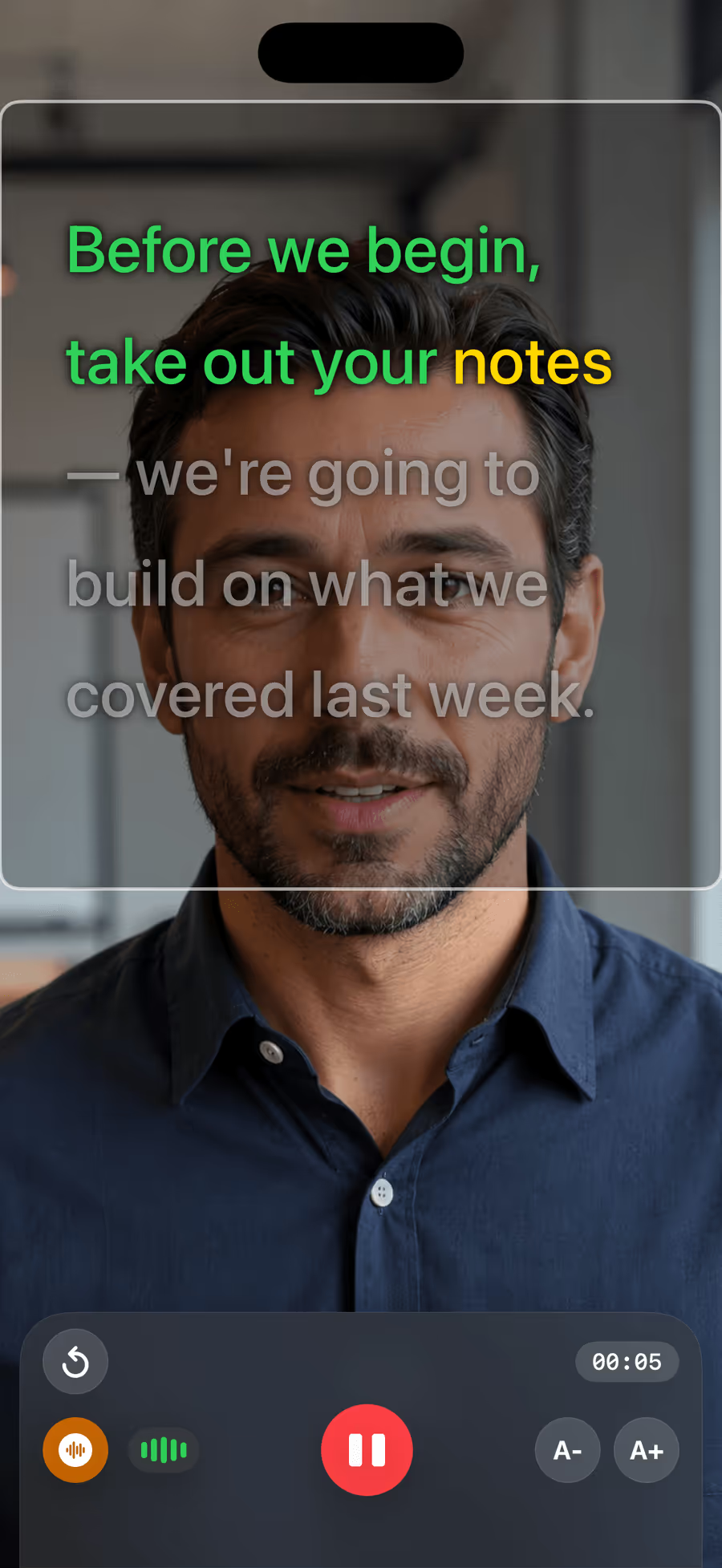
Whether you teach a flipped classroom, record asynchronous course modules, or film a quick explainer, the prompter follows your voice and waits whenever you pause to explain. Everything runs on your device, so student questions and unreleased material never leave your iPad.
- No memorizing, and far fewer re-shoots
- Pause to explain — the script waits, then picks you up
- Eyes on the lens, so students feel spoken to
- Private by design: on-device and fully offline
Made for the way you teach
Flipped classroom
Record the lecture once so class time is for discussion. Read your plan naturally without losing your place.
Online courses
Film module after module on your iPhone or iPad with a consistent, confident delivery — no studio, no crew.
Lectures & explainers
Turn lecture notes into a clean recording. The script scrolls at your pace, in your language.
Questions from educators
For recording lessons on an iPhone or iPad, look for a teleprompter that places the script over the camera, so you keep eye contact, and scrolls automatically as you speak. Teleprompter Pro does both, and works fully offline so classroom material stays private.
Yes. Teleprompter Pro is built for both iPhone and iPad. The larger iPad screen is well suited to reading a lecture while the front camera records you looking at your students.
Voice tracking and recording run entirely on your device — nothing you say or film is uploaded. That makes it a good fit for schools and any setting where student data and unpublished material must stay local.
Teach to the lens.
Free to download, with a 7-day trial of Pro. Record your first lesson today.