Look the camera in the eye.
Teleprompter Pro puts your script right under the lens and scrolls it with your voice. Record Reels, YouTube videos and lessons in one take — no memorizing, no reading eyes.
Free download · 7 days of Pro on us · iPhone & iPad
 On a computer?Scan to get it on your iPhone
Hey everyone, welcome back. Today I'll show you the one trick that makes you sound completely natural on camera.
One app for every video you put your face on.
Hook them in the first second. Every take.
Write a punchy 30-second script, hit record and deliver it straight to the lens. No reading face, no jump cuts to hide it.
- Vertical video with the front or back camera
- AI drafts hooks and short scripts in your tone
- Save and share straight from the app
Talk for ten minutes without losing your place.
Voice scroll follows you through pauses and ad-libs, so long takes stay natural — and you stop re-recording intros.
- Scrolls at your pace, in under 300 ms
- Mirror mode for beam-splitter rigs
- Use your iPhone or iPad as the prompter screen
Sound prepared, not rehearsed.
Product demos, pitches and client updates delivered with eye contact — in one take, before your next meeting.
- Voice tracking runs on your device, even offline
- Works on set, in the office or on the road
- AI turns your notes into a clear, speakable script
Record a whole module in one sitting.
The script waits while you explain, then picks up where you left off. Fewer takes, more lessons shipped.
- Pauses when you stop talking
- Large text, margins and spacing you control
- Works in the language you teach in
Everything a pro take needs. Nothing it doesn't.
Look at the lens
The text sits over the lens, so your gaze stays on the camera — not on a remote. It records like real eye contact.
Hands-free voice scroll
On-device voice tracking scrolls the next line at your pace — pause or ad-lib and the script waits for you.
Write scripts with AI
From topic to teleprompter in seconds. Generate a speakable script, then tune the tone, length and reading level.
Read it your way
Mirror mode, text size, margins, line spacing and speed — tune the prompter until it feels effortless.
Private by design
Voice tracking and recording work fully offline, so what you say stays on your device — safe for client briefs and unreleased launches.
Automatic captions
Generate captions on your device, fix any word, then export your video with captions burned in.
From blank page to finished video.
- 01
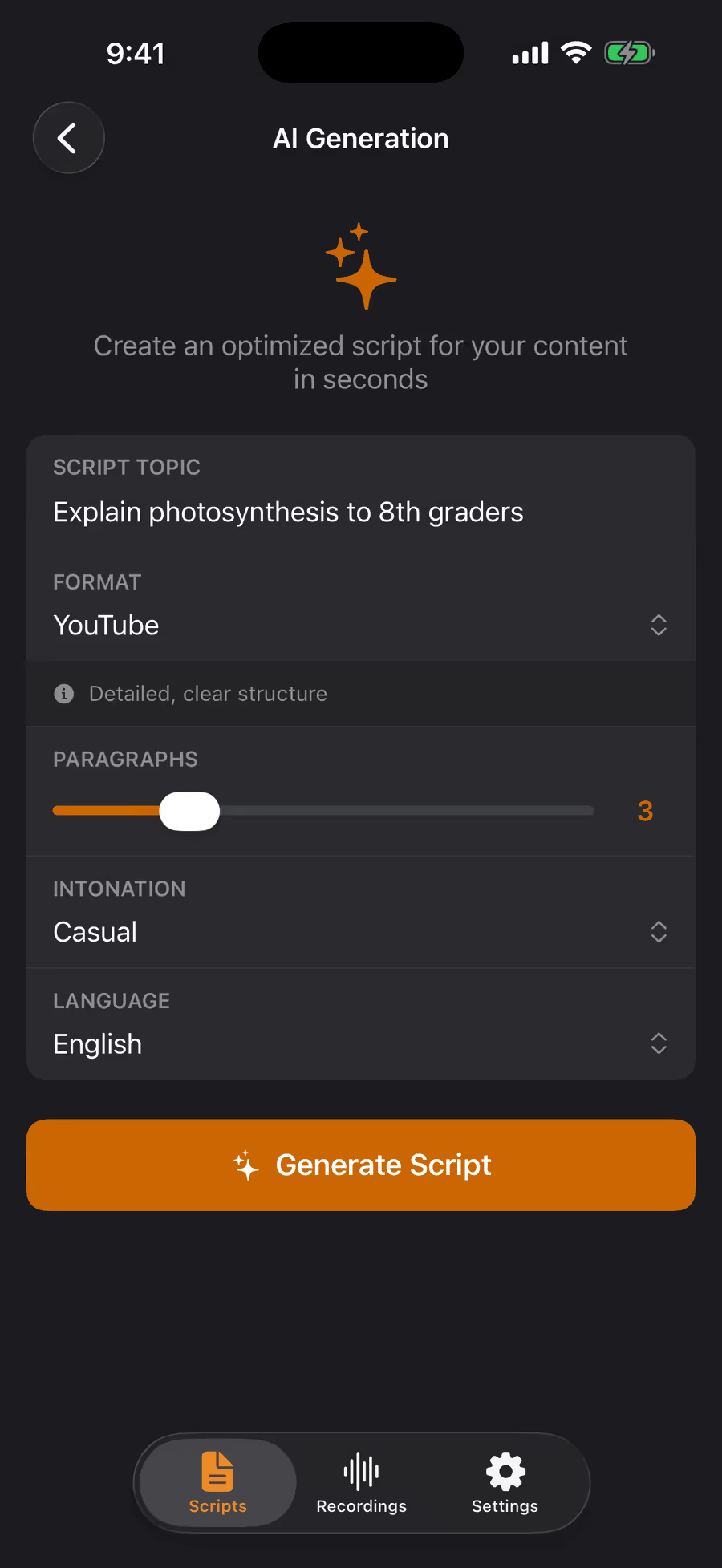
Write it — or let AI
Paste your script, or describe your video and get a speakable draft in seconds.
- 02
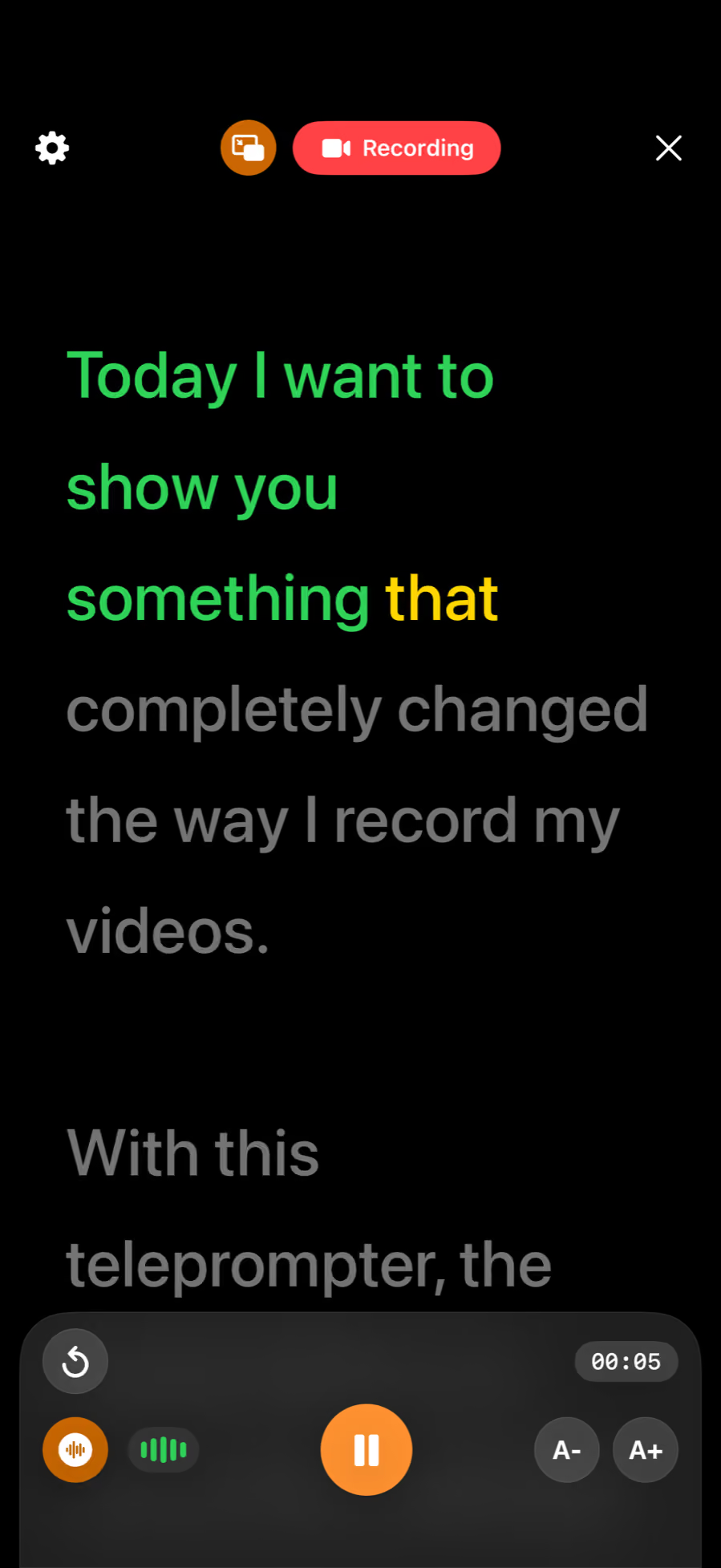
Hit record
Point the front or back camera at yourself and tap record. Your script appears right over the live viewfinder.
- 03
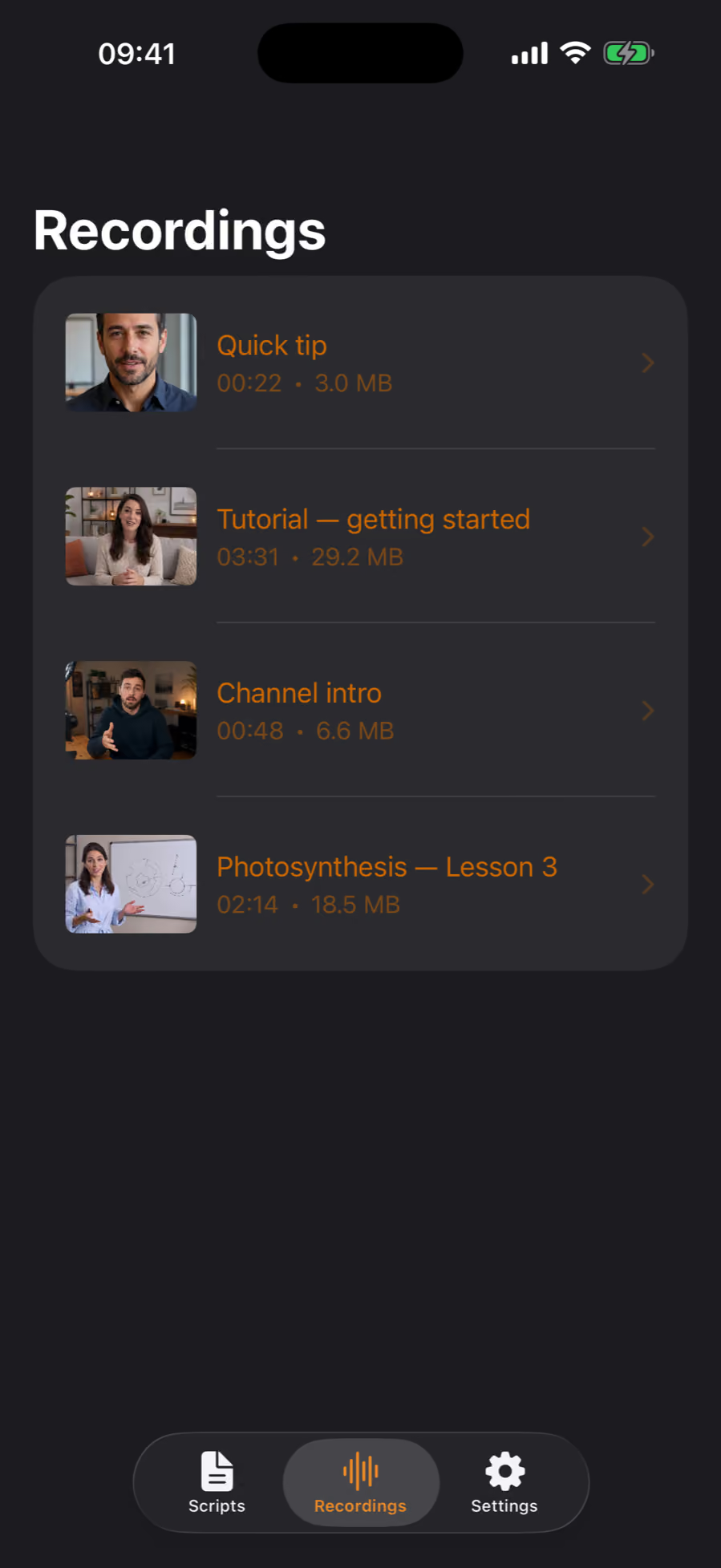
Your videos, ready to share
Record, save and post from one place. Export to your library and straight to wherever your audience lives.
100K+ people stopped memorizing.
Finally a prompter that keeps up with me instead of the other way around. My pieces-to-camera take half the takes now.
I record my course lessons on my phone in one go. The voice scrolling is uncanny — it just knows where I am.
Works offline on set with zero signal, and nothing gets uploaded. That alone sold me. The AI scripts are a bonus.
Start free. Go Pro when you're hooked.
Free
Everything you need to try it on camera.
- Up to 3 scripts
- Voice scroll and recording, no time limit
- Captions you can edit and preview
- Mirror mode and every prompter setting
Pro
7 days freeFor people who record every week.
- Unlimited scripts
- AI script writer
- 4K recording
- Export with burned-in captions
Cancel anytime in your App Store settings.
Questions, answered.
The app listens to your microphone and matches what you say to your script on-device — no internet required. It highlights the word you're speaking and scrolls the next line into view in under 300 ms, so the prompter always meets your pace instead of running on a timer.
Yes. Voice tracking runs entirely on your device, so it works with zero signal and nothing you say or record is uploaded to a server. It's a great fit for sensitive content, classrooms and anywhere without reliable Wi-Fi.
Voice scrolling works across a wide range of languages out of the box — record in the language you actually speak. The AI script writer can draft and translate your scripts too.
Absolutely. The script floats over the camera viewfinder so you can keep your eyes on the lens, record with the front or back camera, then save and share your videos — all in one place.
Teleprompter Pro is free to download with a 7-day free trial of Pro. You can explore the prompter, voice scrolling and recording, and only continue with a subscription if it earns a place in your workflow.
Teleprompter Pro is built for iPhone and iPad. Download it from the App Store and you're ready to record in minutes.
Read like you're
not reading.
Join 100,000+ creators and teachers who sound natural on camera. Free to download, 7 days of Pro on the house.
 Scan with your iPhone camera